Type faster in Polytonic Greek than you do in English.
Best Biblical Greek keyboard
★★★★★
As a student getting their theology master — I’ve tried several different keyboards for my cell phone and iPad
By far this one is the best, pretty intuitive, able to type any NT and LXX words. Definite recommendation!

Free. Tonos Pro is an optional upgrade.
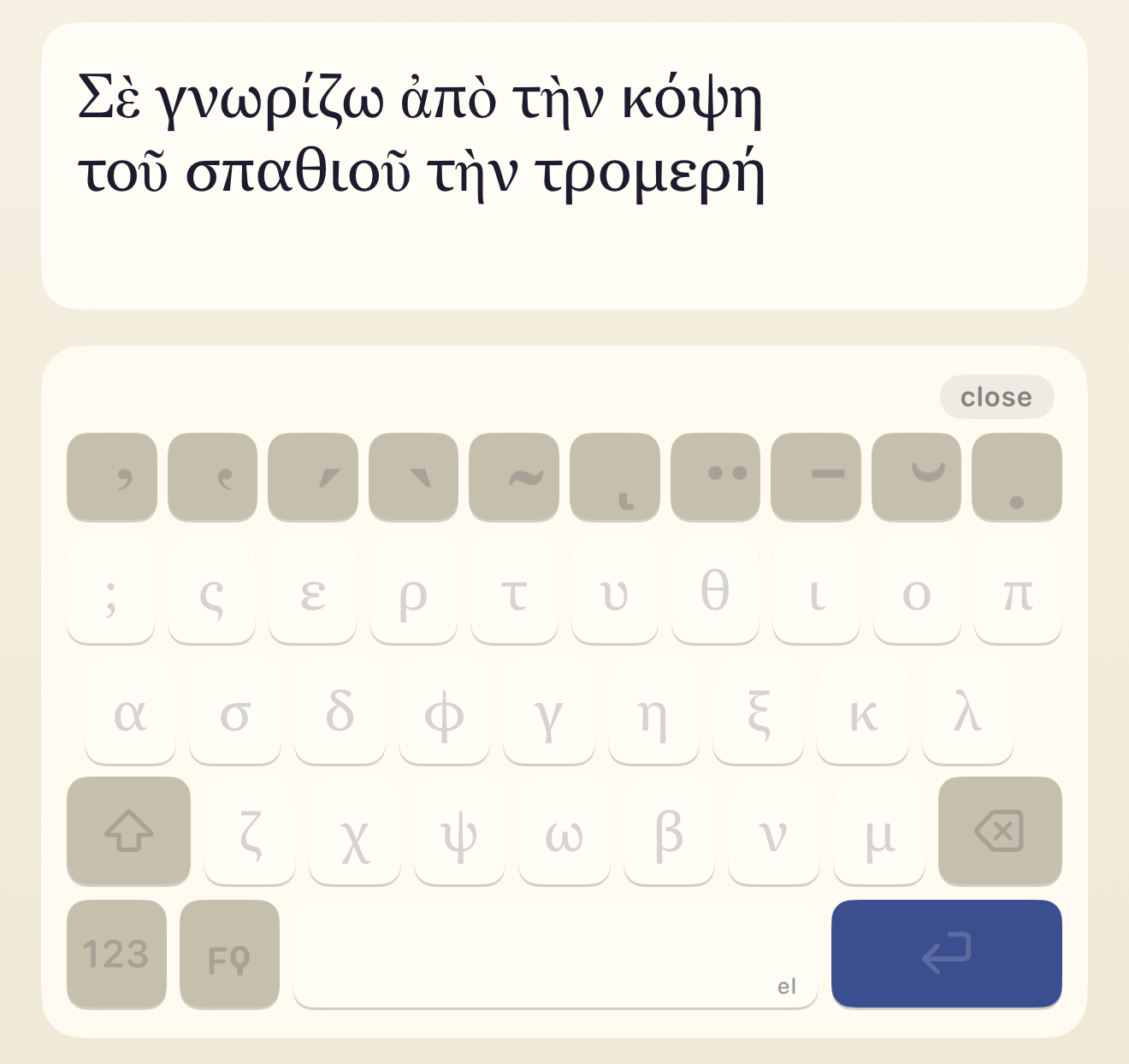
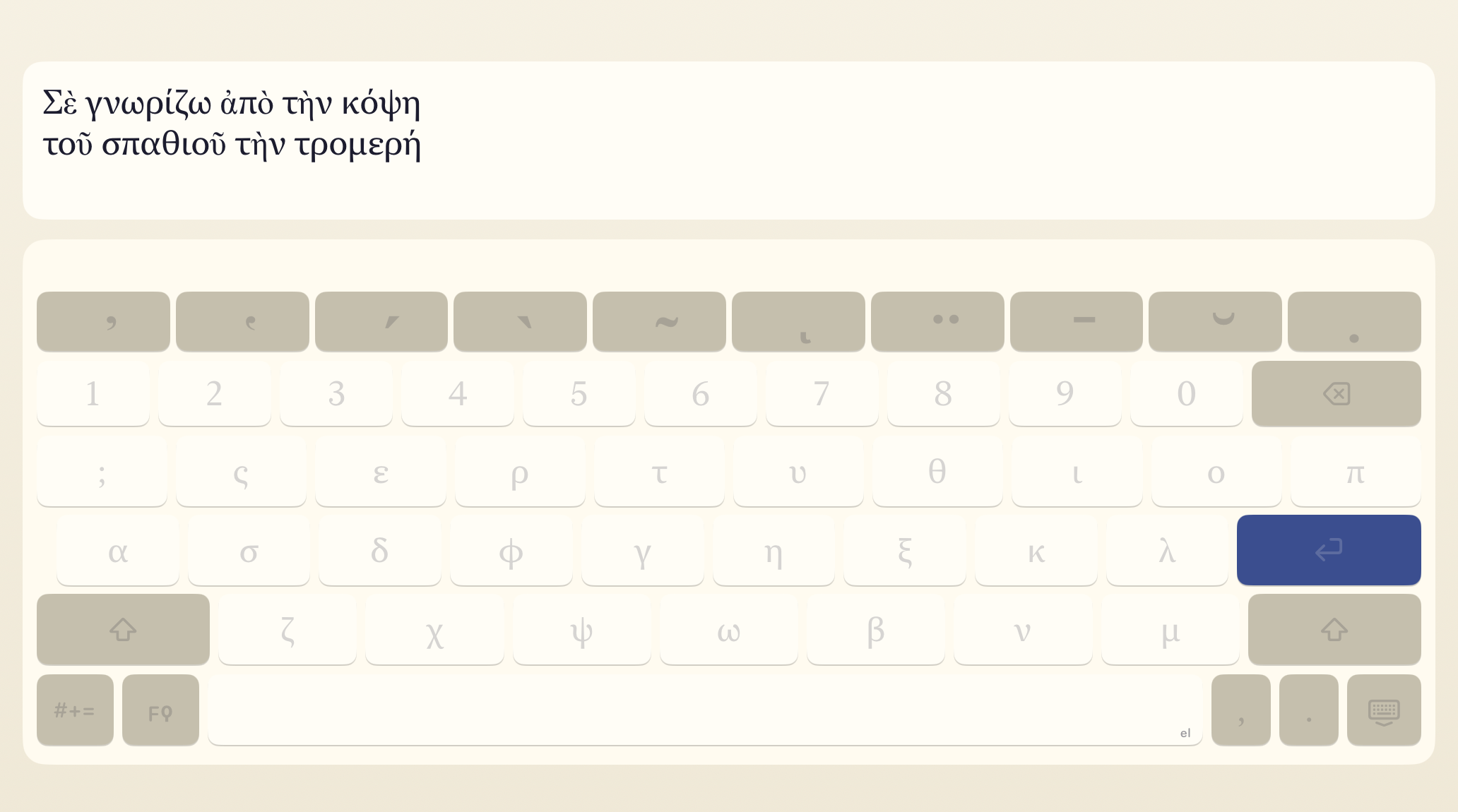
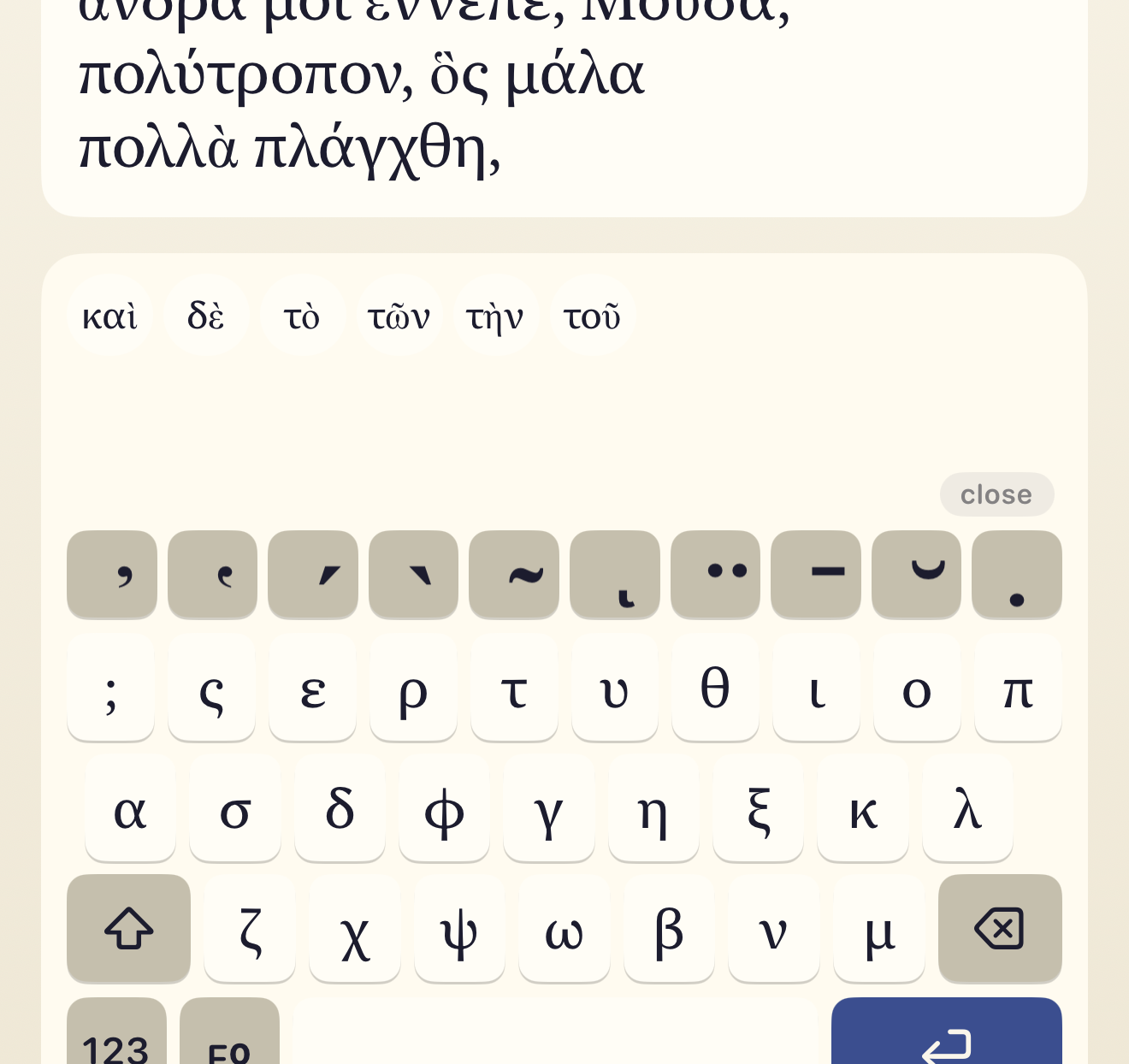
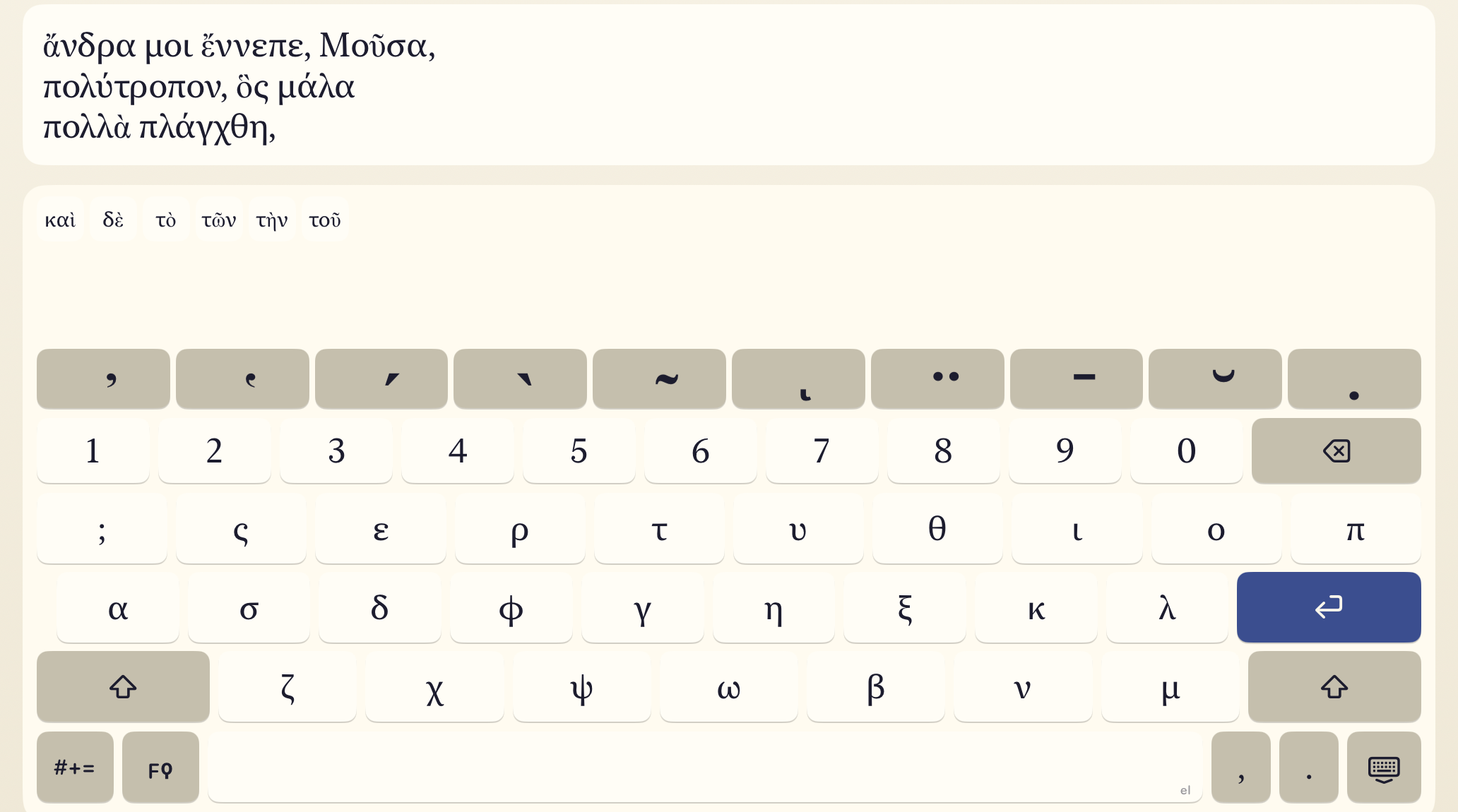
A complete keyboard for Classical, Koine, Byzantine, and Katharevousa Greek. Ten diacritics on a dedicated row, combinable in any correct order, plus a spacebar trackpad and the archaic letters other keyboards skip. Auto-correct and Typeahead are part of the Pro upgrade.
Polytonic Keyboard
-
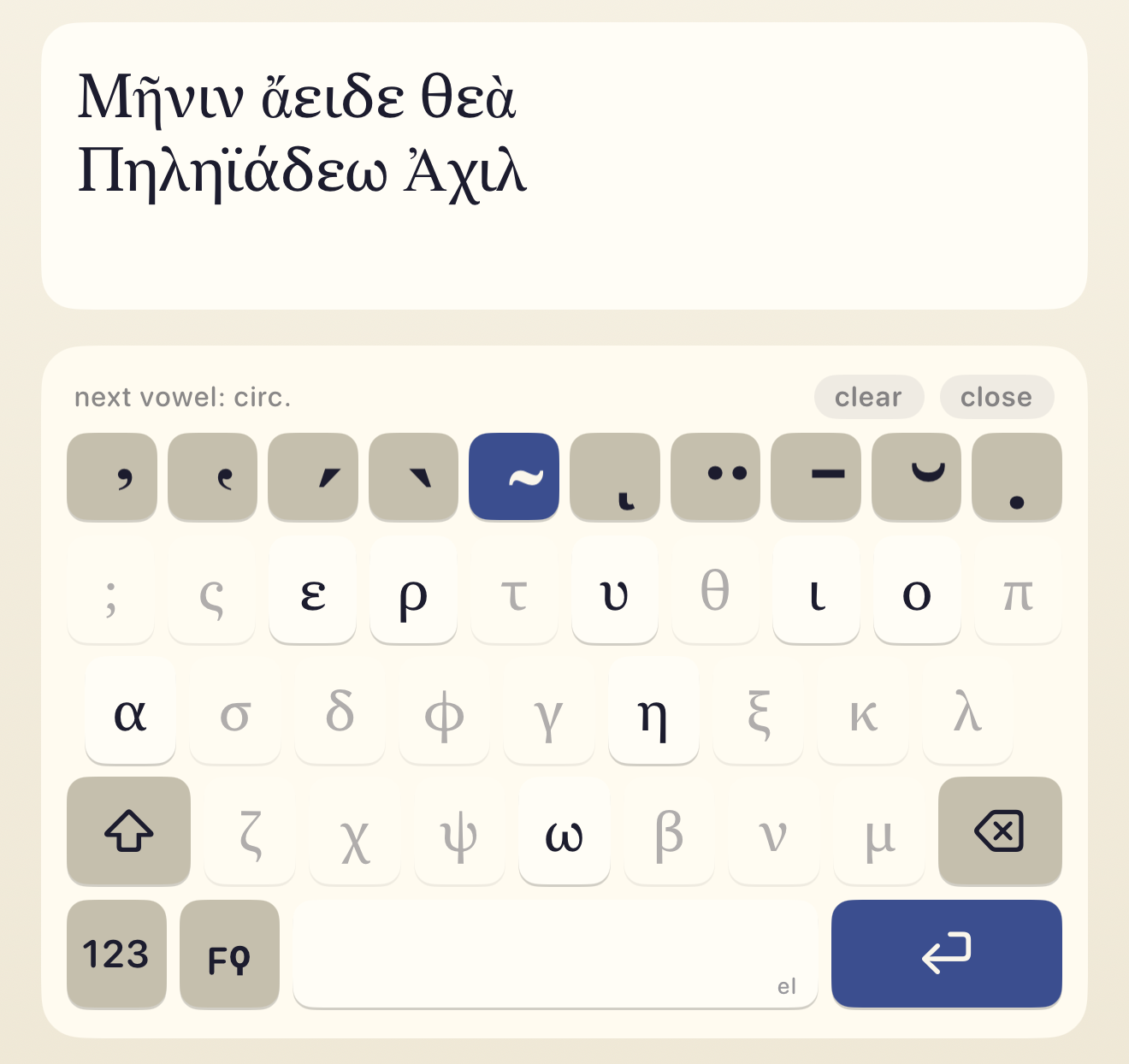
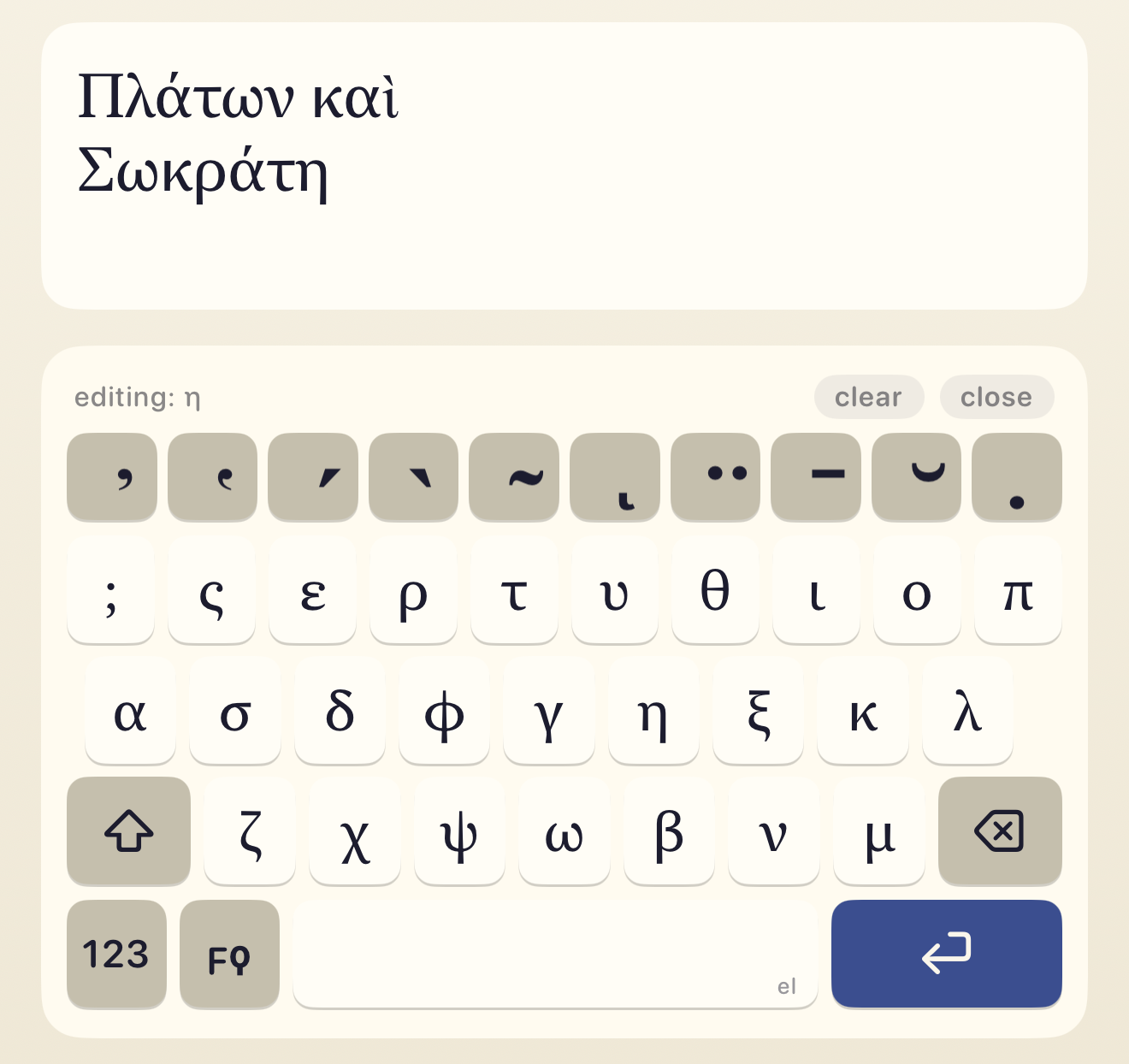
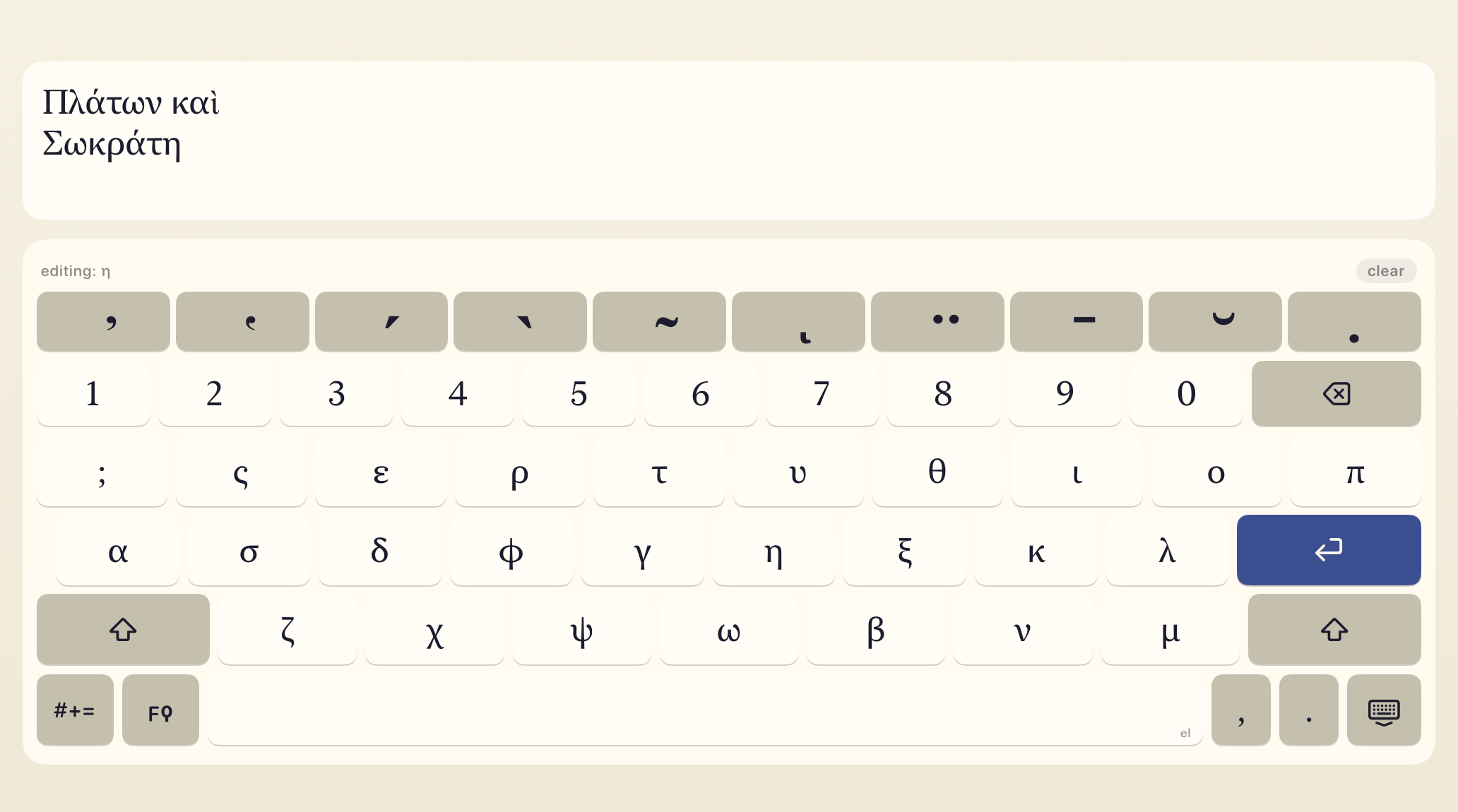
All ten classical marks.
Smooth and rough breathings, acute, grave, and circumflex accents, iota subscript, diaeresis, macron, breve, and the philologist's underdot. Combine them freely. Mutually exclusive marks, like acute and grave, or macron and breve, never fight each other.
-
Two ways to type.
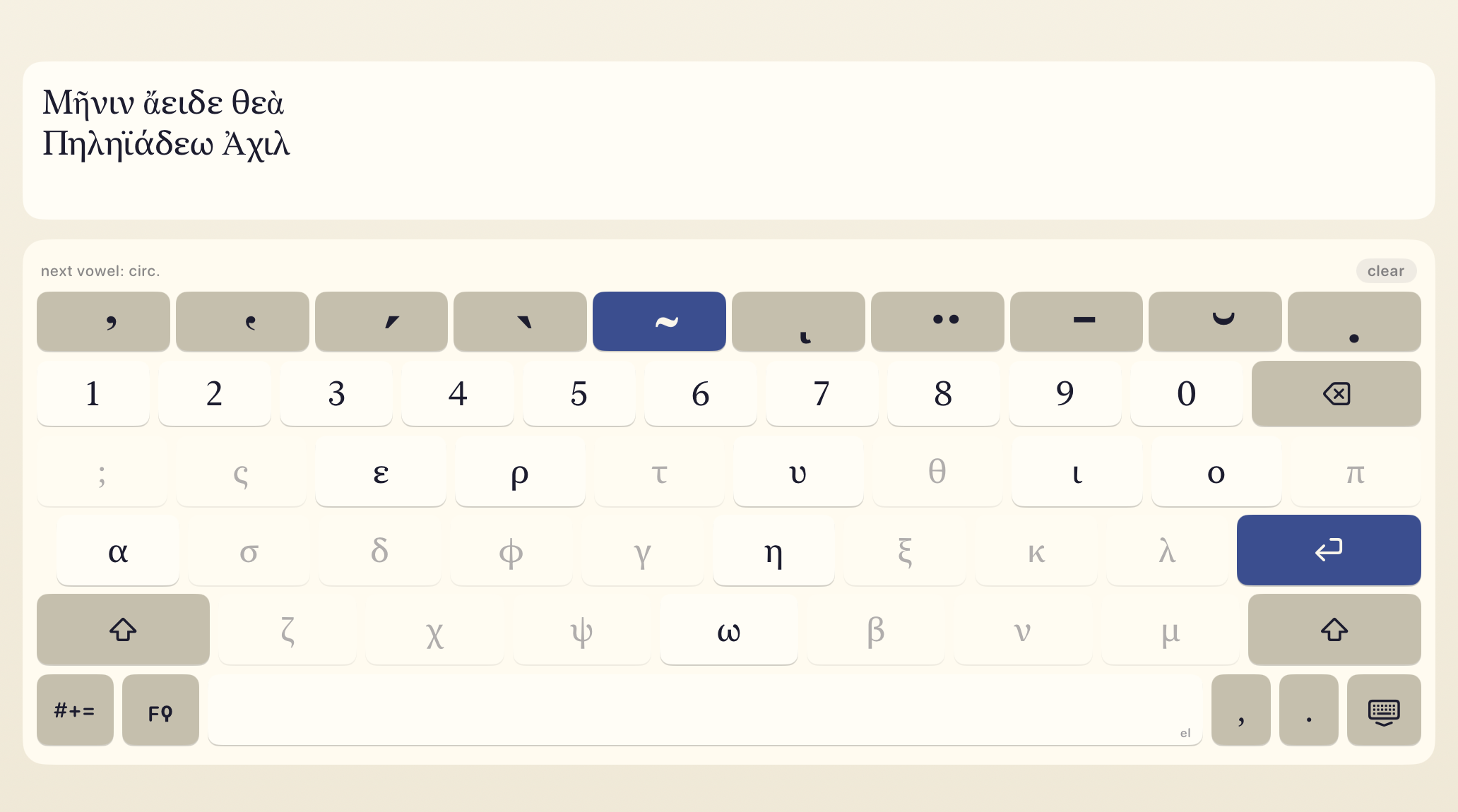
Enter a vowel first and decorate it with one tap, or queue up the diacritics you want and apply them all to the next vowel. Whichever mental model you prefer, Tonos follows along.
-
Three layers, one keyboard.
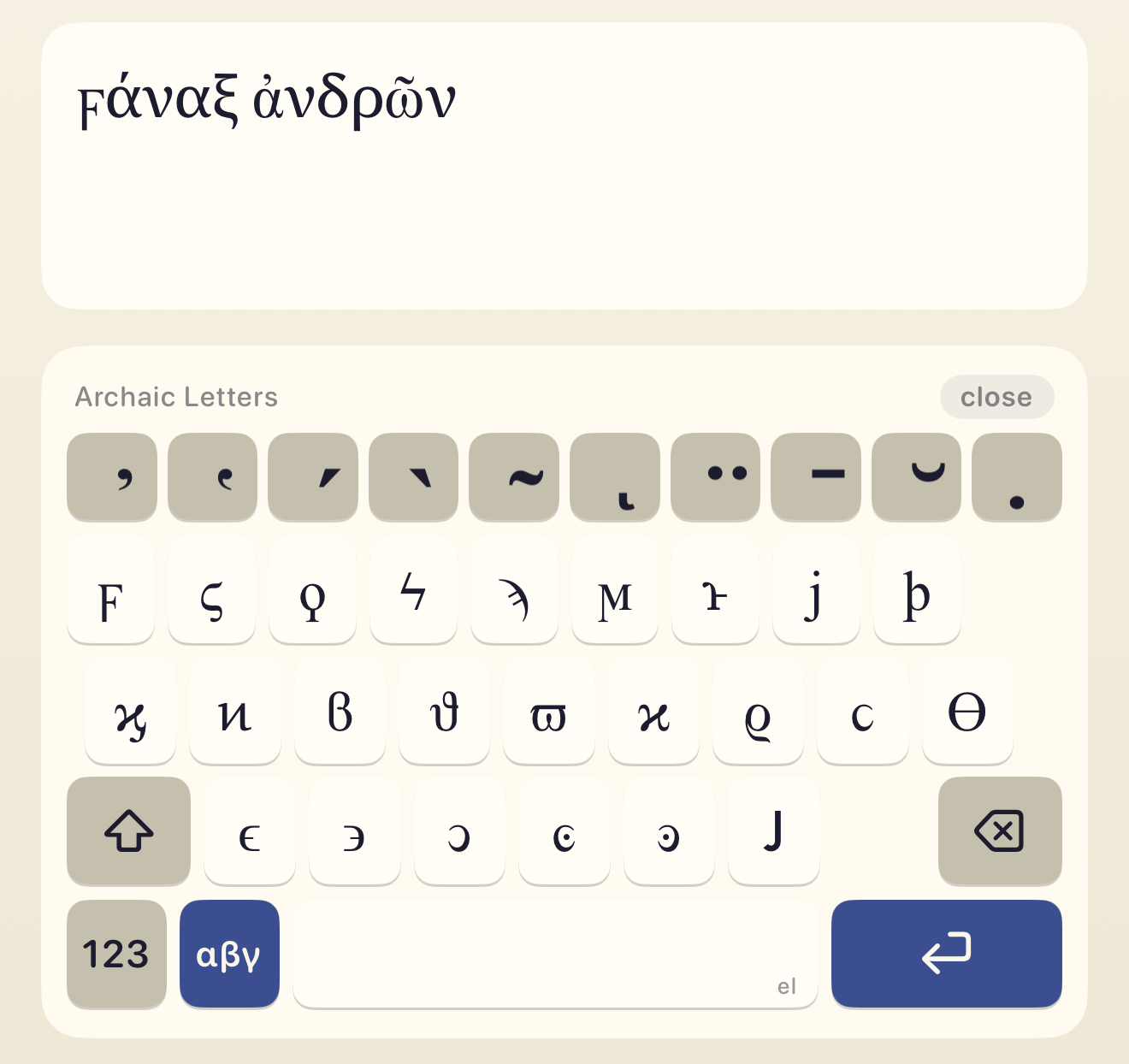
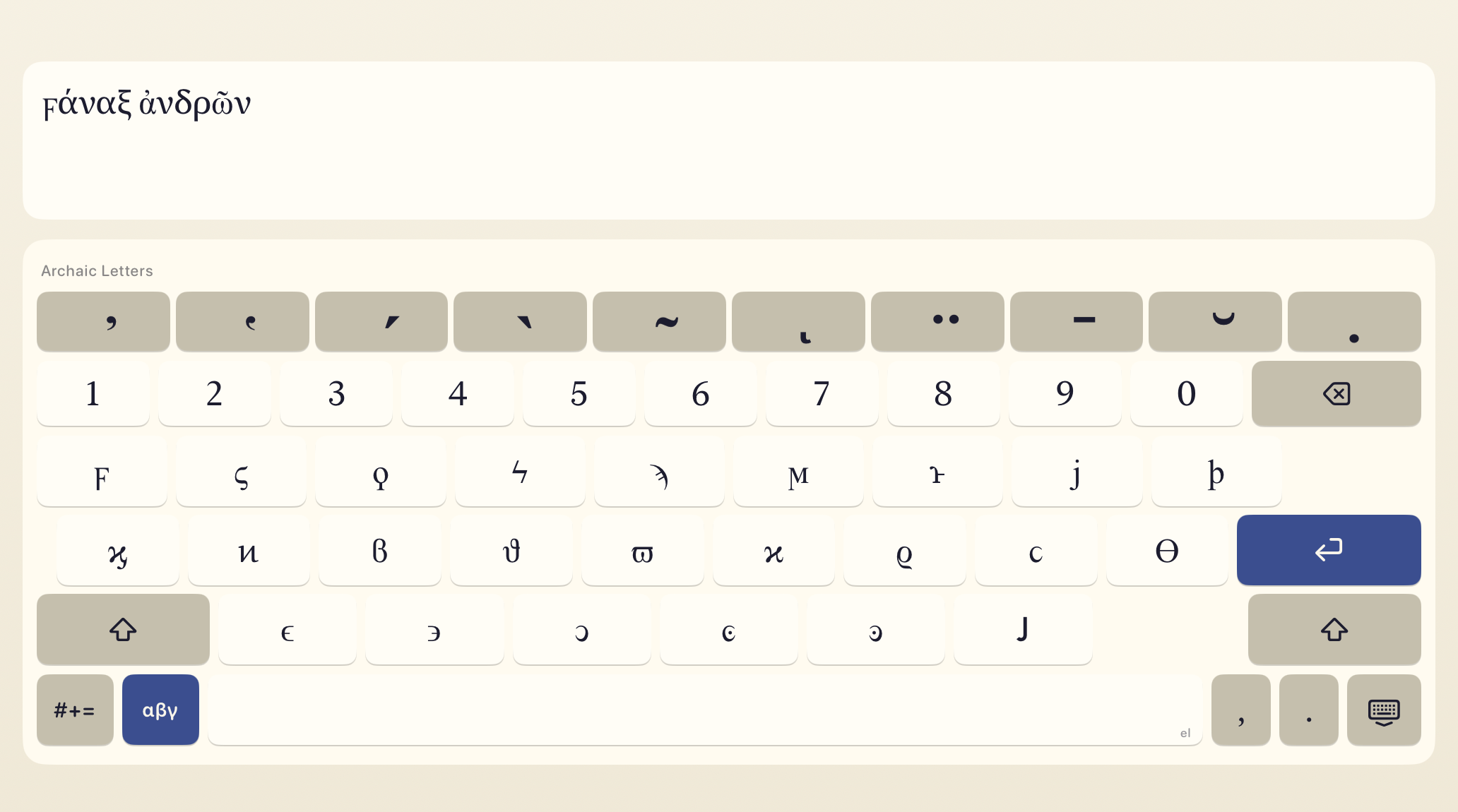
Letters uses the common Greek keyboard ;ςΕΡΤΥ layout. Numbers holds digits and punctuation, including ano teleia. Archaic holds rare letters from languages that use the Greek alphabet:
- digamma (ϝ)
- stigma (ϛ)
- archaic koppa (ϙ)
- koppa (ϟ)
- sampi (ϡ)
- san (ϻ)
- heta (ͱ)
- yot (ϳ)
- sho (ϸ)
- kai ligature (ϗ)
- Pamphylian digamma (ͷ)
Plus cursive and lunate letterforms, which are variant glyphs of standard Greek letters used in manuscripts and papyrology: β (ϐ), θ (ϑ), π (ϖ), κ (ϰ), ρ (ϱ), σ (ϲ), Θ (ϴ), ε (ϵ), along with reversed or dotted forms ϶, ͻ, ͼ, ͽ.
-
NFC Unicode output.
Canonically precomposed where Unicode provides a precomposed form. Characters like ἄ, ᾄ, ῶ, and ῷ drop cleanly into any app, document, or database. No legacy codepoints, no lookup tables, no surprises for your downstream tools.
-
Spacebar trackpad.
Drag horizontally across the spacebar to slide the cursor through your text, one character at a time. Fast drags accelerate, so you can cover distance without leaving Tonos to adjust the cursor.
Tonos Pro: Auto-correct, Typeahead, Nomina Sacra, and Style Preferences
One-time upgrade. No subscriptions, ever.
-
Auto-correct.
Tap space, return, or punctuation and the keyboard silently replaces your word with its best polytonic match from a 1.3-million-entry dictionary merged from Classical, Koine, Byzantine, and Katharevousa corpora. A four-level picker in iOS Settings lets you pick how aggressive it is: Off, Diacritics only (keep the letters you typed, just add breathings and accents), Levenshtein 1 (also fix a single wrong, missing, or extra letter, and the default), or Levenshtein 2 (fix up to two letter errors). Candidates are rescored with an on-device language model and biased toward common iotacism pairs (ι/η/υ and ο/ω), so you never get nudged from the right word to a rarer one just because the edit distance ties. It tells an enclitic from its accented twin by context (καὶ νῦν, διὰ τί), gives one-letter words their breathing and accent (ὁ, ἡ, ὦ), and writes the first word of a sentence with the right marks (Ἐν, Ἀλλὰ, Οὐκ). For polytonic Modern Greek it keeps a second list of about 17,000 words (τώρα, σπίτι, ἀκόμη), which it uses only when you write Modern Greek.
-
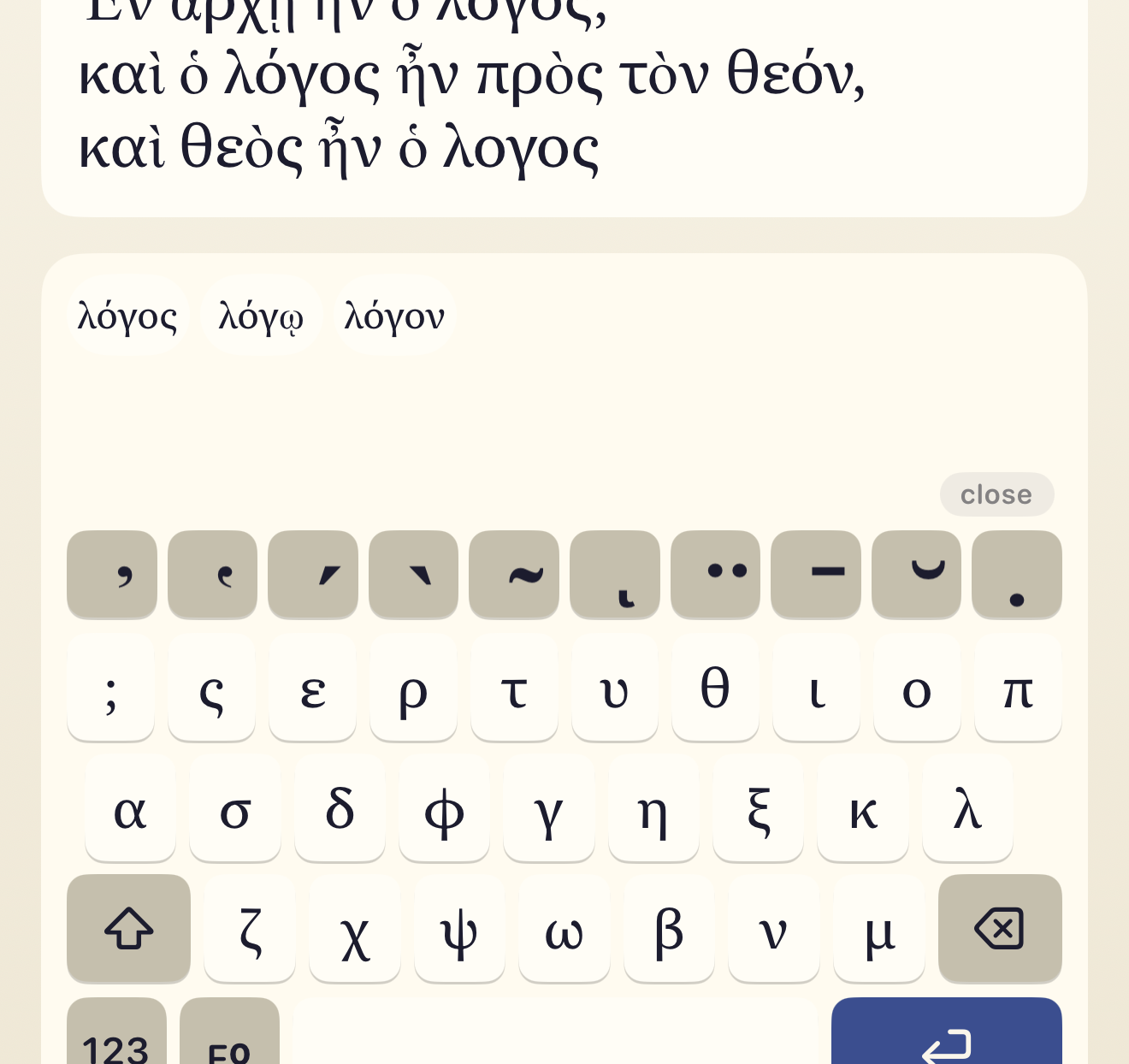
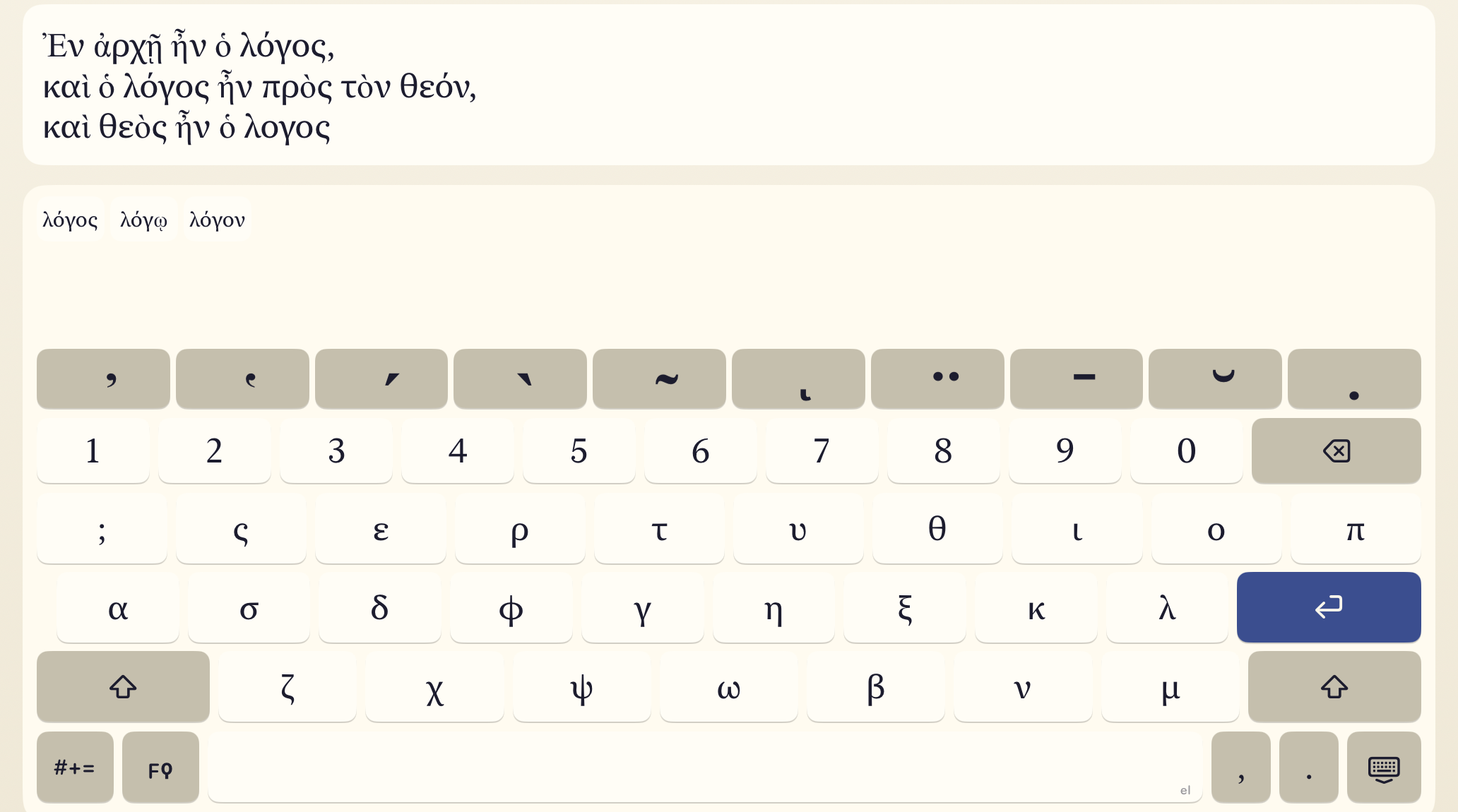
Typeahead.
A suggestion bar above the keys offers up to six chips that adapt to what you are doing: spell-check candidates for the word you just typed, mid-word completions for the one you are typing now, and next-word predictions from an on-device trigram language model trained on about thirty million polytonic tokens across Ancient Greek, Byzantine, and 19th-century Katharevousa corpora. Tap a chip to insert it, or on iPad with a hardware keyboard, press Tab to commit the top suggestion and cycle through the rest. Breathings, accents, and iota subscript are preserved exactly as the model saw them.
-
Nomina sacra.
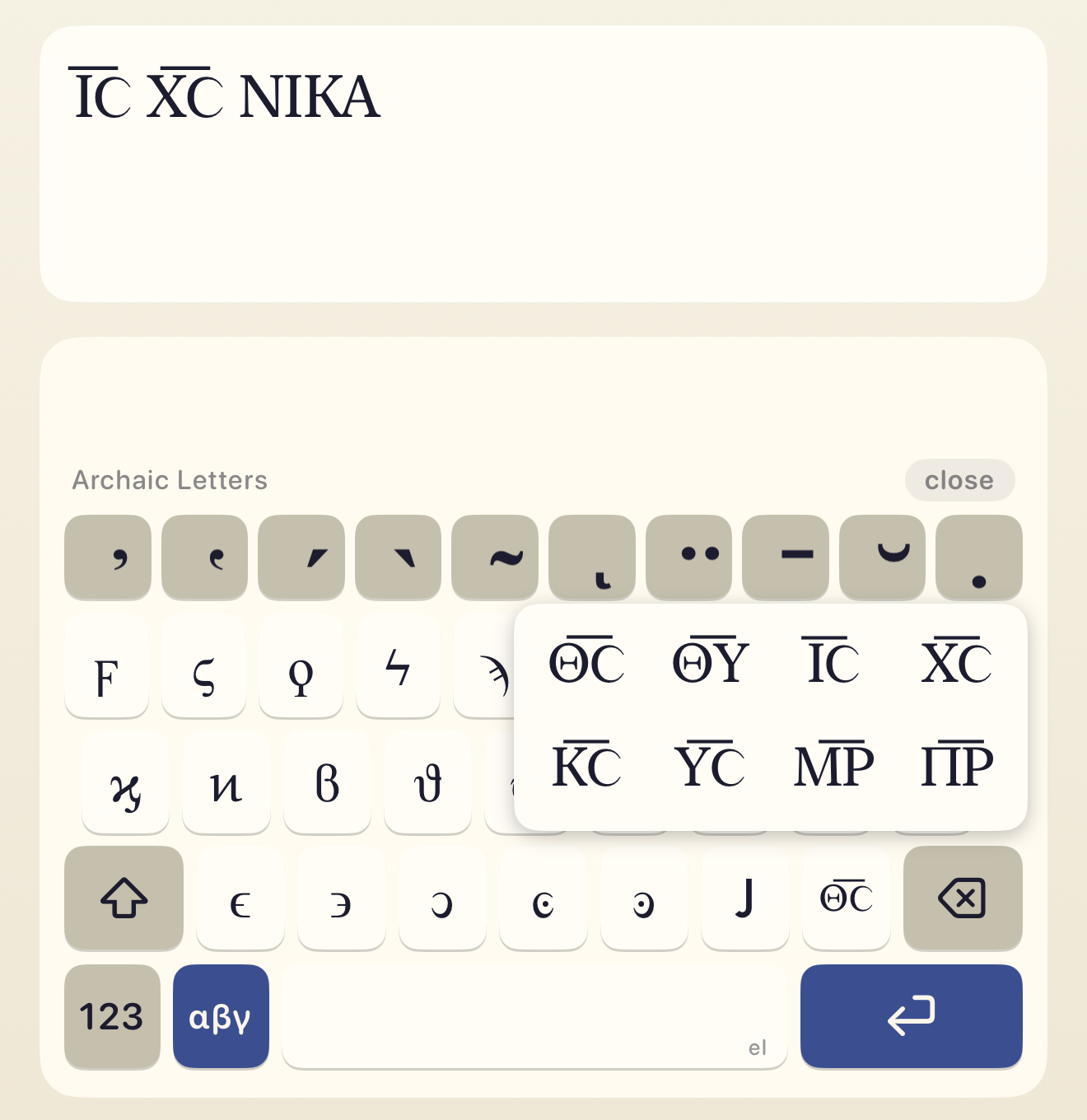
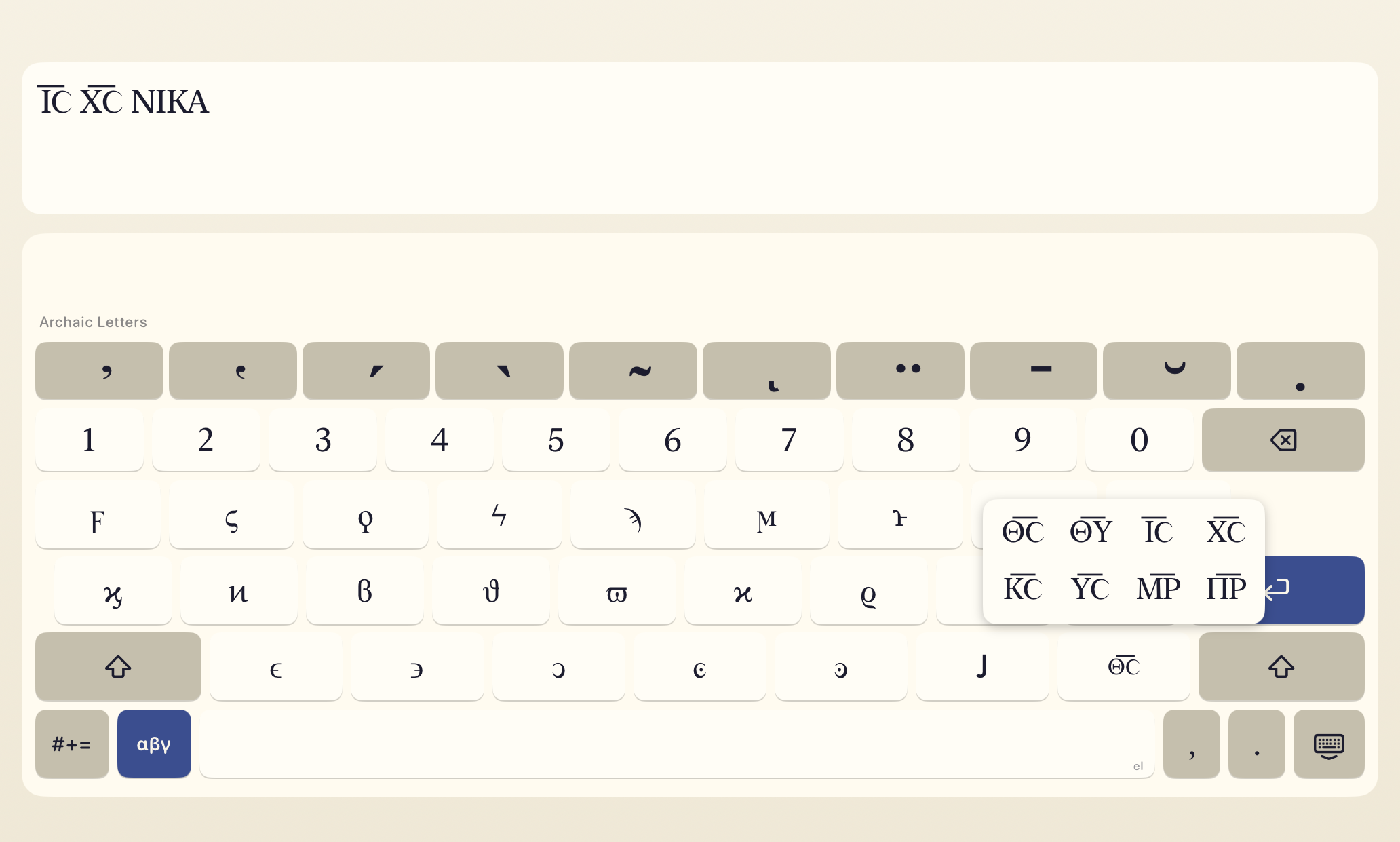
The archaic layer carries a key for the contracted sacred names of Greek manuscripts, written under a bar. A tap inserts Θ͞Ϲ, the contraction for θεός; press and hold for the full set of eight: Θ͞Ϲ (θεός), Θ͞Υ (θεοῦ), Ι͞Ϲ (Ἰησοῦς), Χ͞Ϲ (Χριστός), Κ͞Ϲ (κύριος), Υ͞Ϲ (υἱός), Μ͞Ρ (μήτηρ), Π͞Ρ (πατήρ). Eight is the whole set, and every one of them is two letters, because the bar is drawn with U+035E, a joining mark that spans the gap between exactly two letters and renders as one continuous stroke. The abbreviation mark Unicode prescribes, U+0305, is cut to lowercase width and breaks into a separate dash over each capital in almost every font, Apple's own included. A three-letter form would need two joining marks chained together, and chained marks do not sit at a common height, so the bar arrives with a visible step. One backspace deletes a whole contraction, and Uncial mode keeps the bars while still stripping breathings and accents.
-
Style Preferences.
A Greek Register picker sets which Greek you write: Ancient & Byzantine, Modern, or Automatic, the default, which writes Modern Greek while the word you are typing, or one of the 50 words before it, is a common word only Modern Greek uses (θὰ, νὰ, δὲν, τώρα). A word in all capitals does not count. In Modern Greek the weak pronouns stay unaccented and lean on the word before, which takes a second accent where needed (τὸ ὄνομά του), and movable nu and aspiration are off. Five editorial toggles tune how a word comes out after Auto-correct runs: the grave rule (word-final acute becomes grave mid-phrase, enclitic-aware: ἄνθρωπός τις, εἴ τις, λόγος ἐστί), iota subscript vs adscript, movable nu on sentence-final -ε and -σι, elision of common particles and prepositions, and aspiration before a rough breathing (καθ᾽ ἡμέραν, οὐχ οὕτως), which you can turn off for Ionic texts such as Herodotus. A three-way picker sets the elision glyph: Koronis (᾽), Combined (a tight-to-letter manuscript style), or Apostrophe (’), and the apostrophe key types it after a consonant. Defaults follow mainstream Ancient Greek editorial convention, and every knob is configurable in iOS Settings → Apps → Tonos. Your preferences sync across all your devices via iCloud.
The polytonic dictionary and trigram language model that power Auto-correct and Typeahead are built by Dilemma, an open-source Greek lemmatizer.
Support
a. How to enable Tonos
- Install Tonos from the App Store.
- Open Settings, then General, then Keyboard, then Keyboards. Tap Add New Keyboard and choose Tonos.
- Open any text field, in any app. Notes, Mail, and Messages are good places to try.
- Tap and hold the globe key on the on-screen keyboard, then choose Tonos. You can also tap the globe key repeatedly to cycle through your keyboards.
b. Troubleshooting
I added Tonos but it does not show up when I tap the globe key.
After you add a new keyboard, iOS does not always load it into apps that were already open. Fully close the app by swiping it out of the app switcher, then reopen it. Tonos should now appear when you tap the globe key. If it still does not show up, go back to Settings, General, Keyboard, Keyboards, remove Tonos, and add it again. iOS sometimes caches the keyboard list and needs a nudge.
The globe key switches to another keyboard instead of Tonos.
Tap and hold the globe key instead of tapping it. A popup appears with every installed keyboard listed. Pick Tonos from the list. After you pick it once, a single tap will usually take you straight there.
I see boxes or tofu instead of polytonic characters.
The receiving app is missing a Unicode font that covers polytonic Greek. Try typing into Notes, Mail, or Safari first, which use the system font, which covers every polytonic character Tonos produces. If you are typing into an app with a custom font, the problem is on that end, not in Tonos.
Autocorrect is fighting me.
Custom keyboards on iOS cannot disable the system autocorrect for other languages. If the text field is set to English and you are typing Greek, iOS will try to autocorrect you into English. The fix is to set the text field or document to Greek, or to disable autocorrect for that app in Settings, General, Keyboard.
Can I type iota subscript?
Yes. The iota (ι) subscript, called υπογεγραμμένη, is one of the diacritic keys. Tap it after a vowel to apply it to the letter you just typed, or tap it before a vowel to queue it for the next one. It works with alpha (α), eta (η), and omega (ω), and combines cleanly with every other diacritic.
Elision marks look like stacked accents on iOS.
The Combined elision glyph stacks a combining breathing mark on the preceding vowel, which on some iOS fonts renders as a small acute-like tick wedged on top of the vowel's existing accent instead of as a tight mark beside it. This is a weakness of the iOS system font's handling of polytonic combining marks, not something Tonos controls. If it looks wrong in your editor, open Settings → Apps → Tonos → Style Preferences and change Elision Mark to Koronis (᾽, a spacing glyph and the default) or Apostrophe (’, the generic right-single-quote). Both render reliably across fonts.
Why are there only eight nomina sacra?
Because only two-letter contractions draw a clean bar on iOS, and eight of those are in common use. The bar is a combining character, and which one you pick decides everything else. Unicode prescribes U+0305 COMBINING OVERLINE for abbreviation, but U+0305 is drawn at lowercase width. Nomina sacra are capitals, so it leaves a gap at every letter boundary and comes out as one short dash per letter instead of one bar. Measured at 46pt over Θ͞Ϲ, Cardo and New Athena Unicode leave a 9px gap, Junicode 15px, and EB Garamond 16px. Apple's San Francisco and New York do not contain the character at all. Tonos uses U+035E COMBINING DOUBLE MACRON instead, which sits between two letters and draws a single stroke across the join, and one such mark covers exactly two letters. Longer forms like Ι͞Η͞Ϲ, Π͞Ν͞Α, Α͞Ν͞Ο͞Ϲ, Ϲ͞Τ͞Ρ͞Ο͞Ϲ and Ι͞Λ͞Η͞Μ need two or more marks chained end to end. Chained marks do not land at a common height, so on a phone the bar arrives with a visible step in the middle, which is the broken bar this feature exists to avoid. One caveat if you are transcribing rather than composing: U+035E is classified as a tie bar, not an abbreviation mark, so text from this key will not match a corpus search for nomina sacra and is not correct for an IGNTP or MUFI-conformant transcription. For that, encode U+0305 in your own editor and accept how it renders.
Can our school get Tonos Pro for its iPads?
Yes. School-managed iPads usually have no personal Apple Account to make the in-app purchase with, so a school can license Tonos Pro for all of its devices instead, delivered through its device management. Write to support@motomatic.com, and point your IT department to Tonos for schools.
c. Get in touch
Bug reports, feature requests, fawning praise, καὶ τὰ ἕτερα.